
Guide · Strategy
Base Defense Controls (Desktop)
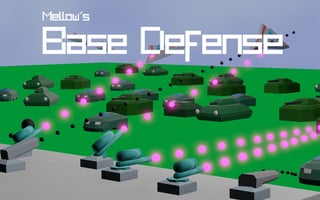
Base Defense
Play nowAdvertisement
Base Defense is a strategy game where players must protect their base from incoming waves of enemies using various defensive structures and units.
Desktop controls
On desktop, players can use their mouse to select and place defensive units, and their keyboard to navigate menus and access different types of units or upgrades. Keyboard shortcuts may also be available to quickly access common actions.
Touch play
Not tested on touch screens.
Tips
- Use your mouse controls to carefully position your defensive units for optimal coverage
- Not tested on touch screens.
- Experiment with different unit placements and upgrade strategies to find what works best for your base
Sponsored
More about Base Defense
Play something similar
See all






Advertisement