Guide · Arcade
Brick Out Candy - Frequently Asked Questions

Is Brick Out Candy free to play?
Yes, Brick Out Candy is a free-to-play game, allowing players to enjoy the game without any initial cost.
Can I play Brick Out Candy on my mobile device?
Not tested on touch screens. Brick Out Candy is free to play in your web browser on Pixelsprout, with no download.
How do I control my paddle in Brick Out Candy?
Not tested on touch screens. The specific controls may vary depending on the device or platform being used.
Does the game get progressively harder?
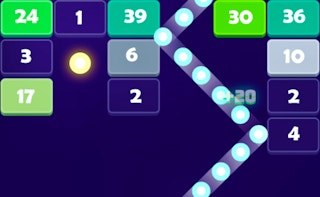
As with many arcade games, Brick Out Candy's difficulty level is likely to increase as players progress through levels, with faster ball speeds, more complex brick arrangements, and potentially new obstacles to overcome. Players will need to develop their timing and reaction skills to succeed.
What makes Brick Out Candy fun to play?
The game's addictive gameplay, colorful graphics, and satisfying sound effects all contribute to its enjoyable experience, making it a great way to pass the time and challenge oneself. The sense of accomplishment from clearing levels and achieving high scores also adds to the game's appeal.
Why does my ball sometimes get stuck or bounce unpredictably?
In Brick Out Candy, the ball's trajectory can be affected by the angle of incidence, the speed of the paddle, and the placement of bricks, which can sometimes lead to unpredictable bounces or the ball getting stuck. Adjusting the paddle's position and timing can help mitigate these issues.
How do I deal with multiple balls on the screen at once?
When faced with multiple balls, focus on tracking each ball's movement and prioritize the ones that are closest to the paddle or most likely to be lost, using quick reflexes to switch between balls and keep them all in play. This requires good hand-eye coordination and attention to the game's rhythm.