
Guide · Strategy
Counter Terror Battle Simulator Controls (Desktop)
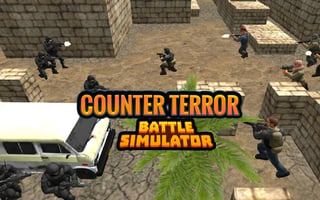
Counter Terror Battle Simulator
Play nowAdvertisement
Counter Terror Battle Simulator is a strategic game where players plan and execute missions to counter terrorist threats.
Desktop controls
On desktop, players can use their mouse to navigate menus, select units, and issue commands, while keyboard shortcuts can be used to speed up gameplay and access different options.
Touch play
Not tested on touch screens.
Tips
- Use the mouse to precisely position your units on the battlefield
- Familiarize yourself with keyboard shortcuts to quickly access common actions
- Not tested on touch screens.
Sponsored
More about Counter Terror Battle Simulator
Play something similar
See all




Advertisement