
Guide · Animal
Crab Shooter Controls - How to Play (Desktop & Mobile)
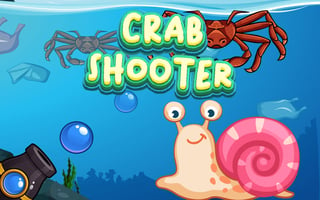
Crab Shooter
Play nowAdvertisement
Crab Shooter is a fast‑paced animal‑themed browser game where you aim and fire at crabs to rack up points.
Desktop controls
Use the mouse to aim your shots and click to fire, while the keyboard arrows (or WASD) let you move your character around the play area.
Mobile controls
Tap and drag on the screen to aim, then tap a fire button or the screen itself to shoot; swipe gestures can move your character left or right.
Tips
- Keep your aim steady by moving the mouse slowly rather than jerking it
- Use the edges of the screen to position yourself for better shooting angles
- On touch devices, practice short taps for firing to maintain accuracy
Sponsored
More about Crab Shooter
Play something similar
See all



Advertisement