
Guide · Strategy
Defend the Castle Controls (Desktop)
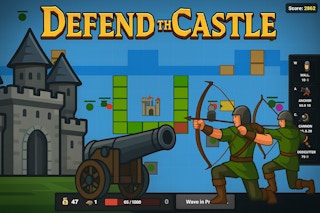
Defend the Castle
Play nowAdvertisement
In Defend the Castle, players must utilize strategic thinking to protect their castle from invading forces.
Desktop controls
On desktop, players can likely use their mouse to select and place defensive units, while using their keyboard to access menus and manage resources.
Touch play
Not tested on touch screens.
Tips
- Use your mouse to accurately place defensive units in strategic locations.
- Manage your resources efficiently by accessing menus and upgrading units as needed.
- Keep an eye on the minimap to track enemy movements and plan your defenses accordingly.
Sponsored
More about Defend the Castle
Play something similar
See all






Advertisement