Guide · Drawing
Draw picture by numbers. Pixel Art. - Frequently Asked Questions
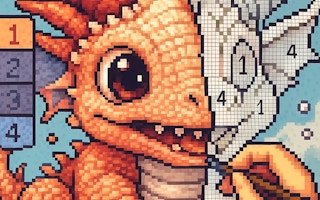
Is Draw picture by numbers. Pixel Art free to play?
Yes. Draw picture by numbers. Pixel Art. is free to play in your web browser on Pixelsprout, with no download.
Can I play Draw picture by numbers. Pixel Art on a mobile device?
Not tested on touch screens.
What are the basic controls for drawing in the game?
Not tested on touch screens.
How is difficulty determined in Draw picture by numbers?
Difficulty varies by the size of the picture and the number of color sections—larger grids with many shades take longer to complete than simpler, smaller images.
What makes this drawing game enjoyable compared to other pixel art tools?
It combines a relaxing, step‑by‑step coloring experience with the satisfaction of revealing a complete picture as you fill in each numbered area.
Why do some sections seem to require the same color even though the numbers differ?
Numbers indicate the order of filling, not always a unique color; multiple sections can share the same hue, so double‑check the palette rather than relying solely on the numbers.
Is there a way to undo mistakes while coloring?
Yes, most browsers let you use the undo button in the game’s toolbar or press Ctrl+Z (Cmd+Z on Mac) to revert the last fill.