
Guide · Sports
Finger Soccer - World Cup 2022 Controls (Desktop)
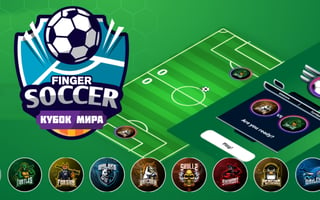
Finger Soccer - World Cup 2022
Play nowAdvertisement
Finger Soccer - World Cup 2022 is a flick soccer game on a tall field. You and the computer each control one round disc, and you knock the ball into the goal at the top by sending your disc into it.
Desktop controls
The game is played with the mouse. Click Tournament on the title screen, click a team badge, then click CONFIRM. On the bracket screen, click START GAME, then click PLAY.
Your disc starts at the bottom of the field. Press the mouse button on your disc, drag, and let go. In our test, the disc moved in the direction we dragged, hit the ball, and scored a goal.
Touch play
Not tested on touch screens.
What we saw
- The team screen has 16 badges with names such as Beast and Thunder.
- The score for each side sits on the left of the center line, with the half (First Half) and a countdown in seconds on the right.
- The computer disc moves on its own as soon as the match starts. In one test it scored within the first few seconds.
Sponsored
More about Finger Soccer - World Cup 2022
Play something similar
See all



Advertisement