
Guide · Drawing
Five Nights Funny Face Controls (Desktop)
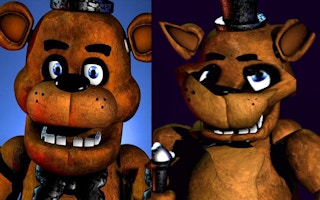
Five Nights Funny Face
Play nowAdvertisement
A quirky drawing‑style game where you create and interact with funny faces to progress through challenges.
Desktop controls
Use the mouse to select tools, draw lines, and click on UI elements; keyboard shortcuts may let you switch brushes or undo actions quickly.
Touch play
Not tested on touch screens.
Tips
- Keep your strokes steady by using the mouse button for continuous drawing
- Use the undo shortcut (often Ctrl+Z) to correct mistakes fast
- Not tested on touch screens.
Sponsored
More about Five Nights Funny Face
Play something similar
See all

Advertisement