Guide · Arcade
Galaxy Bricks - Frequently Asked Questions
Is Galaxy Bricks free to play?
Yes. Galaxy Bricks plays free in your browser on Pixelsprout.
Can I play Galaxy Bricks on my mobile device?
Not tested on touch screens.
How do I control my spaceship in Galaxy Bricks?
Not tested on touch screens. The exact controls may be customizable or explained in the game's tutorial.
What can I expect from the difficulty level in Galaxy Bricks?
As a typical arcade game, Galaxy Bricks likely starts with relatively easy levels and gradually increases in difficulty as the player progresses, introducing new challenges and obstacles to overcome. The game may also feature different difficulty modes or settings to suit players of various skill levels.
What makes Galaxy Bricks fun and engaging?
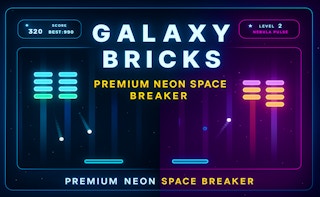
Galaxy Bricks combines fast-paced action, colorful graphics, and addictive gameplay, challenging players to destroy bricks, collect power-ups, and achieve high scores. The game's simplicity and responsiveness make it enjoyable for players of all ages and skill levels.
Why do I sometimes lose lives or progress in Galaxy Bricks?
In arcade games like Galaxy Bricks, losing lives or progress is often due to colliding with obstacles, running out of time, or failing to complete a level objective. Players can usually recover from these setbacks by restarting the level, using power-ups or bonuses, or adjusting their strategy to improve their chances of success.
How do I improve my high score in Galaxy Bricks?
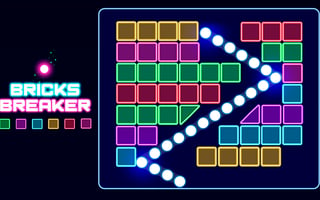
To improve your high score, focus on destroying as many bricks as possible, collecting power-ups and bonuses, and completing levels quickly to earn time bonuses. Experimenting with different strategies and techniques, such as aiming for specific brick patterns or using special abilities at the right moment, can also help increase your score.