Guide · Arcade
Geometry Maze Maps - Frequently Asked Questions
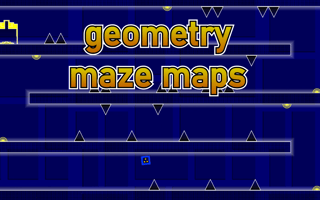
Is Geometry Maze Maps free to play?
Yes. Geometry Maze Maps plays free in your browser on Pixelsprout.
Can I play Geometry Maze Maps on my mobile device?
Not tested on touch screens. Geometry Maze Maps is free to play in your web browser on Pixelsprout, with no download.
What are the basic controls for Geometry Maze Maps?
Not tested on touch screens. You can usually find the specific controls in the game's settings or tutorial.
How challenging is Geometry Maze Maps?
Geometry Maze Maps, like many arcade games, starts with relatively easy levels and gradually increases in difficulty as you progress, introducing new obstacles and complexities. Be prepared to face tougher challenges as you advance through the game.
What makes Geometry Maze Maps fun to play?
The game's challenging levels, combined with its fast-paced action and rewarding sense of accomplishment when completing a difficult maze, make Geometry Maze Maps an engaging and entertaining experience. The variety of maze designs and obstacles also keeps the gameplay fresh and exciting.
I'm getting stuck on a level, what should I do?
If you're having trouble with a particular level, try taking a break and coming back to it later with a fresh perspective, or look for online resources such as walkthroughs or forums where players share tips and strategies. You can also try experimenting with different paths or approaches to find one that works.
Why do I keep dying in Geometry Maze Maps?
Dying repeatedly in Geometry Maze Maps is often due to misunderstanding the level's layout, misjudging distances, or failing to time your movements correctly. Take your time to observe the level, learn from your mistakes, and adjust your strategy to improve your survival chances.