
Guide · Ball
Golf IT Controls (Desktop)
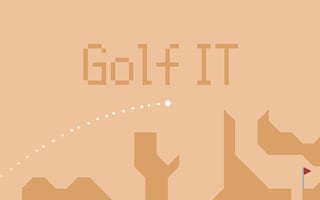
Golf IT
Play nowAdvertisement
Golf IT is a casual browser game where you aim and launch a ball toward a target, trying to achieve the best score.
Desktop controls
On desktop you typically click and drag with the mouse to set the direction and power of your shot, then release to strike the ball; some versions may also allow you to adjust angle with arrow keys before shooting.
Touch play
Not tested on touch screens.
Tips
- Aim carefully by aligning the drag line with the target before releasing
- Use a short, controlled drag for delicate shots and a longer drag for more power
- Watch the terrain or obstacles and adjust your angle to avoid them
Sponsored
More about Golf IT
Play something similar
See all





Advertisement