
Guide · Kids
Hand Doctor Beginner's Guide - How to Get Started
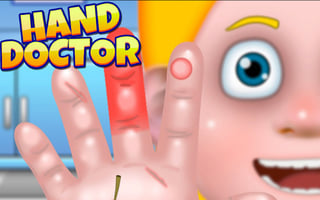
Hand Doctor
Play nowAdvertisement
Help patients feel better by using simple tools and quick actions in this kid‑friendly medical mini‑game.
What is Hand Doctor?
Hand Doctor is a casual, point‑and‑click style game where you treat virtual patients by selecting the right instruments and following on‑screen prompts. The gameplay focuses on matching items to symptoms and completing short tasks to heal characters, encouraging basic problem‑solving and hand‑eye coordination.
First steps
- Click on the patient to see their issue and read the brief description
- Choose the appropriate tool from the toolbar that matches the problem
- Drag the selected tool to the highlighted area on the patient’s hand
- Follow any on‑screen timing cues, such as clicking when a gauge fills
- Watch the patient’s reaction to confirm the treatment was successful
Who it's for
Designed for young children who enjoy simple, interactive puzzles and learning about basic medical care.
Sponsored
More about Hand Doctor
Play something similar
See all



Advertisement