Guide · Fighting
Ice Man 3D - Frequently Asked Questions
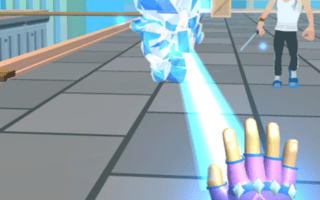
Is Ice Man 3D free to play?
Yes, Ice Man 3D is free to play directly in your web browser on Pixelsprout, with no download required.
Can I play Ice Man 3D on a mobile device?
Not tested on touch screens.
What are the basic controls for fighting in Ice Man 3D?
Use the arrow keys or WASD to move, a punch button to attack, a kick button for stronger strikes, and a block key to defend; combos are performed by timing successive attacks.
How hard is the difficulty curve in Ice Man 3D?
The early opponents are forgiving, but later stages introduce faster enemies and more complex patterns, rewarding players who practice timing and spacing.
What makes Ice Man 3D fun compared to other browser fighters?
Its 3‑dimensional arena adds depth to positioning, and the fast‑paced combat encourages quick reflexes and strategic use of movement and blocking.
What common confusion do new players have with Ice Man 3D?
New players often forget to use the block button, taking unnecessary damage, and may overlook the importance of moving around the arena to avoid being surrounded.
Does Ice Man 3D support keyboard shortcuts for special moves?
The game uses simple key presses for basic attacks; any advanced combos rely on timing rather than separate shortcut keys.