Guide · Strategy
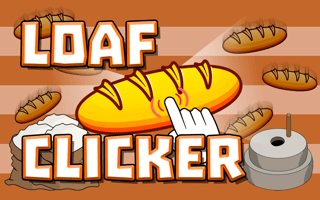
Loaf Clicker - Frequently Asked Questions
Is Loaf Clicker free to play?
Yes. Loaf Clicker plays free in your browser on Pixelsprout.
Can I play Loaf Clicker on my mobile device?
Not tested on touch screens.
What are the basic controls for Loaf Clicker?
The game can be played using standard mouse controls, with players clicking to interact with the game world, manage resources, and make strategic decisions. Keyboard shortcuts may also be available for certain actions.
How difficult is Loaf Clicker?
The difficulty of Loaf Clicker is progressive, with the game starting off relatively easy and becoming more challenging as the player progresses through levels or achieves certain milestones. Players will need to develop and adjust their strategy to overcome obstacles and achieve their goals.
What makes Loaf Clicker fun?
Loaf Clicker combines engaging gameplay mechanics with a sense of progression and accomplishment, as players work to optimize their strategy and achieve their goals. The game's addictive nature and rewarding experience make it an enjoyable experience for fans of strategy games.
Why does my progress seem to be slowing down?
As you progress through the game, the challenges and requirements will increase, which can make it seem like progress is slowing down. This is a normal part of the game's design, and players will need to adapt their strategy to overcome these new challenges and continue making progress.
How do I manage my resources effectively?
To manage resources effectively in Loaf Clicker, players should focus on balancing their resource generation and usage, making sure to prioritize the most important resources and allocate them efficiently. This may involve making strategic decisions about when to invest in upgrades or expansions, and when to conserve resources for later use.