Guide · Kids
My Tiny Cute Piano - Frequently Asked Questions
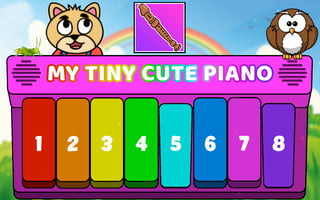
Is My Tiny Cute Piano free to play?
Yes. My Tiny Cute Piano is free to play in your web browser on Pixelsprout, with no download.
Can I play My Tiny Cute Piano on a mobile device?
Not tested on touch screens.
What are the basic controls for playing the piano?
Click on the on‑screen keys to produce notes; on a keyboard you can also use the corresponding letter keys for faster play.
Is the game suitable for very young children?
The interface is simple and colorful, and the difficulty is low, making it appropriate for kids aged 3 and up.
What makes My Tiny Cute Piano fun for kids?
Kids enjoy the bright visuals, the immediate sound feedback, and the ability to experiment with simple melodies.
Why does the game sometimes lag on older devices?
Because it runs in the browser, performance depends on the device’s processor and internet connection; closing other tabs can help.
Are there any hidden costs or ads?
The game is ad‑supported, but ads are non‑intrusive and there are no hidden fees or pay‑walls.
What should I do if a key doesn’t respond when I tap it?
Refresh the page or try a different browser; if the issue persists, clear your cache and ensure your internet connection is stable.