
Guide · Strategy
Roller Coaster Simulator Controls (Desktop)
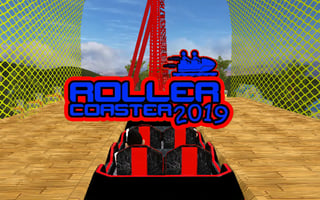
Roller Coaster Simulator
Play nowAdvertisement
Roller Coaster Simulator is a strategy game where you design, manage, and optimize your own roller coaster park for success.
Desktop controls
On desktop, you will likely use your mouse to click and drag elements such as tracks, rides, and amenities into place, and your keyboard to access menus and adjust settings.
Touch play
Not tested on touch screens.
Tips
- Use your controls to carefully plan the layout of your park to maximize visitor flow and revenue
- Adjust your camera view to get a clear overview of your park or zoom in on specific details
- Experiment with different control inputs to find the most efficient ways to manage your park's operations
Sponsored
More about Roller Coaster Simulator
Play something similar
See all



Advertisement