
Guide · Shooter
Star Wing Controls - How to Play (Desktop & Mobile)
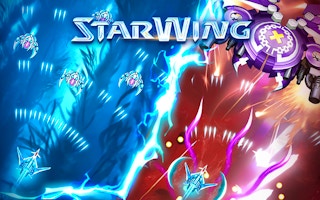
Star Wing
Play nowAdvertisement
Star Wing is an action‑packed shooter you can play straight in your browser.
Desktop controls
Use the mouse to aim and click to fire, while keyboard keys (WASD or arrow keys) move your ship around the screen. Some versions also let you hold a key to boost speed or activate special attacks.
Mobile controls
Tap and hold to move your ship, and tap enemies or a fire button on the screen to shoot. Swipe gestures can be used for quick dodges or to trigger power‑ups.
Tips
- Keep your aim steady by using the mouse for precise targeting.
- Use the movement keys to stay mobile and avoid enemy fire.
- On touch devices, practice short taps for shooting and longer presses for movement to maintain control.
Sponsored
More about Star Wing
Play something similar
See all


Advertisement