
Guide · Fighting
Stick Hero Tower Defense Controls (Desktop)
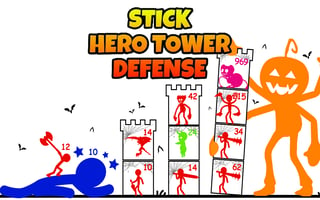
Stick Hero Tower Defense
Play nowAdvertisement
Stick Hero Tower Defense is a fast‑paced fighting‑style browser game where you control a hero to defend against waves of enemies.
Desktop controls
On desktop you typically use the mouse to aim attacks or place defenses and the keyboard (arrow keys or WASD) to move your hero, with keys like Space or Enter to trigger special actions.
Touch play
Not tested on touch screens.
Tips
- Keep your cursor close to the action to react quickly to incoming enemies
- Use keyboard shortcuts for faster skill activation
- Not tested on touch screens.
Sponsored
More about Stick Hero Tower Defense
Play something similar
See all







Advertisement