
Guide · Shooter
Stickman Counter Terror Strike Controls (Desktop)
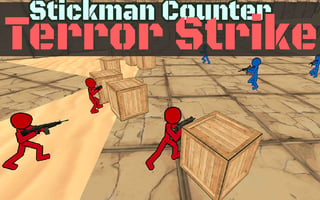
Stickman Counter Terror Strike
Play nowAdvertisement
Stickman Counter Terror Strike is a fast‑paced browser shooter where you face waves of enemies with a stick‑figure avatar.
Desktop controls
On desktop you typically aim with the mouse cursor and fire with the left mouse button, while movement is handled with the WASD keys; additional keys like Space or Shift may be used for jumping or sprinting.
Touch play
Not tested on touch screens.
Tips
- Keep the mouse close to the action to aim quickly and reduce lag between movement and shooting.
- Use the WASD keys to strafe while maintaining fire on enemies for better positioning.
- Not tested on touch screens.
Sponsored
More about Stickman Counter Terror Strike
Play something similar
See all

Advertisement