
Guide · Shooter
Stickman Maverick Bad Boys Killer Controls - How to Play (Desktop & Mobile)
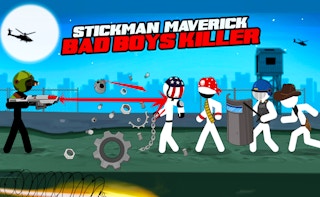
Stickman Maverick Bad Boys Killer
Play nowAdvertisement
Stickman Maverick Bad Boys Killer is a fast‑paced browser shooter where you control a stick‑man combatant against waves of enemies.
Desktop controls
Use the mouse to aim and click to fire, while the WASD keys or arrow keys move your character around the arena. Hold the right‑click or a designated key to aim down sights for more precise shots if the game supports it.
Mobile controls
Tap and drag on the screen to move the stickman, and use a separate on‑screen joystick or tap‑to‑shoot button to aim and fire. Some versions allow you to swipe to quickly change direction or perform a dash.
Tips
- Keep the crosshair centered by moving the mouse smoothly rather than jerking it
- Use the movement keys to strafe while maintaining fire on enemies
- On touch, adjust the sensitivity of the virtual joystick for smoother aiming
Sponsored
More about Stickman Maverick Bad Boys Killer
Play something similar
See all



Advertisement