Guide · Kids
Superstar Family Dress Up Game - Frequently Asked Questions
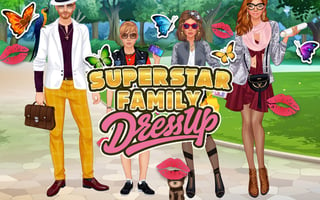
Is Superstar Family Dress Up Game free to play?
Yes. Superstar Family Dress Up Game is free to play in your web browser on Pixelsprout, with no download.
Can I play the game on a mobile device?
Not tested on touch screens.
What are the basic controls for dressing up characters?
Click on a character to open the wardrobe, then select clothing items or accessories by clicking the icons; drag‑and‑drop works in many browsers.
Is the game difficult for young children?
The game is designed for kids and has no timed challenges or complex puzzles, so children can experiment with outfits at their own pace.
What makes Superstar Family Dress Up Game fun for kids?
It offers a wide variety of colorful outfits, mix‑and‑match options, and the ability to save or share favorite looks, encouraging creativity.
Are there any confusing menus or hidden buttons?
Some users may miss the ‘Save’ or ‘Reset’ icons that appear only when a character is selected, but hovering over them shows tooltips that explain their function.
Do I need to create an account to save my designs?
No account is required; designs are saved locally in the browser, though clearing cookies will remove them.