
Guide · Strategy
WW1 Battle Simulator Controls (Desktop)
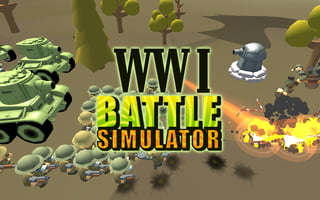
WW1 Battle Simulator
Play nowAdvertisement
WW1 Battle Simulator is a strategy game where players can engage in historical battles, managing resources and troops to achieve victory.
Desktop controls
On desktop, players can use their mouse to select units and issue commands, and their keyboard to access menus and execute specific actions, such as speeding up or slowing down the game.
Touch play
Not tested on touch screens.
Tips
- Use the mouse to precisely select and move individual units on desktop
- Familiarize yourself with keyboard shortcuts to efficiently manage your troops
- Not tested on touch screens.
Sponsored
More about WW1 Battle Simulator
Play something similar
See all


Advertisement