
Guide · Adventure
Zombie Colosseum Controls (Desktop)
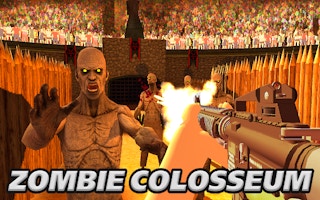
Zombie Colosseum
Play nowAdvertisement
Survive wave after wave of undead opponents in the chaotic Zombie Colosseum arena.
Desktop controls
Use the mouse to aim and click to attack or interact, while keyboard keys (WASD or arrow keys) move your character around the arena; additional keys like Space or Shift can be used for special actions such as jumping or dashing.
Touch play
Not tested on touch screens.
Tips
- Keep your cursor close to enemies for quicker attacks
- Use keyboard shortcuts to switch weapons or abilities on the fly
- Not tested on touch screens.
Sponsored
More about Zombie Colosseum
Play something similar
See all

Advertisement