
Guide · Shooter
Ace Brawl Battle 3D Controls - How to Play (Desktop & Mobile)
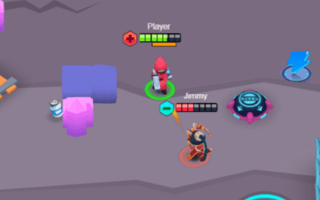
Ace Brawl Battle 3D
Play nowAdvertisement
Ace Brawl Battle 3D is a fast‑paced browser shooter where you face off against opponents in a 3‑D arena.
Desktop controls
On desktop, aim with the mouse and fire with the left mouse button; move your character using WASD keys, and use space or a designated key for jumping or dodging.
Mobile controls
On mobile, a virtual joystick on the left controls movement while tapping or dragging on the right side of the screen aims and shoots; a separate button can be used for jumping or special actions.
Tips
- Keep your mouse cursor close to the center for quicker aiming adjustments.
- Use the WASD keys lightly to weave and avoid incoming fire.
- On touch devices, practice small joystick movements to maintain precise control while shooting.
Sponsored
More about Ace Brawl Battle 3D
Play something similar
See all

Advertisement