Guide · Shooter
Ace Brawl Battle 3D - Frequently Asked Questions
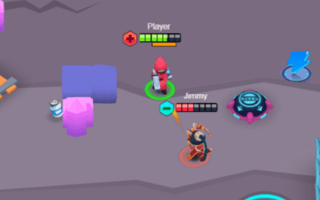
Is Ace Brawl Battle 3D free to play?
Yes, Ace Brawl Battle 3D is free to play directly in your web browser on Pixelsprout, with no download required.
Can I play Ace Brawl Battle 3D on a mobile device?
The game runs in a browser, so it can be played on most smartphones and tablets, though a keyboard and mouse provide the best experience.
What are the basic controls for shooting and moving?
Use the WASD keys (or arrow keys) to move, the mouse to aim, and left‑click to fire; on touch devices tap to aim and a virtual button to shoot.
How difficult is the learning curve for new players?
The game starts with simple target practice levels and gradually introduces more enemies and obstacles, making the difficulty increase at a steady pace.
What makes Ace Brawl Battle 3D fun to play?
Fast‑paced action, responsive aiming, and the variety of enemy patterns keep each match engaging and rewarding.
Why do I sometimes feel my shots miss even when aiming at the target?
Movement speed and recoil can affect accuracy; try slowing down or pausing briefly to steady your aim before firing.
Is there a way to adjust sensitivity or control settings?
Yes, the settings menu lets you tweak mouse or touch sensitivity and toggle aim‑assist options to suit your play style.