
Guide · Simulation
Battle Simulator - Sandbox Tips and Strategy
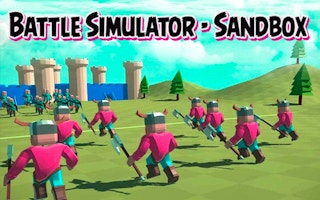
Battle Simulator - Sandbox
Play nowAdvertisement
Battle Simulator - Sandbox lets you set up custom combat scenarios and watch the outcomes in a physics‑driven environment.
- Start with a small number of units on each side to quickly see how different troop types interact before scaling up the battle size.
- Use the terrain editor to place obstacles, elevation changes, or cover; these features dramatically affect unit movement and line‑of‑sight.
- Experiment with unit formations (e.g., tight clusters vs. spread lines) to discover which arrangements give you the best defensive or offensive advantage.
- Adjust each unit’s stats such as health, attack speed, and range to balance the fight and explore how small tweaks change the overall result.
- Take advantage of the pause and step‑frame functions to observe precise moments of impact, allowing you to fine‑tune unit placements and timings.
- Save multiple scenario presets so you can quickly reload and compare how different strategies perform under identical conditions.
Iterate, observe, and tweak your setups to master the nuanced dynamics of the sandbox battles.
Sponsored
More about Battle Simulator - Sandbox
Play something similar
See all







Advertisement