
Guide · Animal
Flying Gorilla 3D Controls - How to Play (Desktop & Mobile)
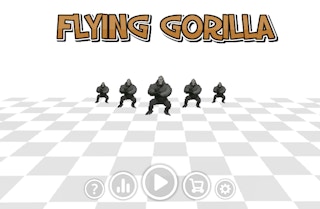
Flying Gorilla 3D
Play nowAdvertisement
Soar through vibrant skies as a playful gorilla in this fun, animal-themed 3D adventure.
Desktop controls
Use the mouse to look around and the keyboard arrows or WASD keys to move forward, backward, and turn, while the space bar typically makes the gorilla jump or flap its arms to gain altitude.
Mobile controls
Tap or swipe on the screen to steer the gorilla’s flight direction, and tap a designated button or double‑tap to make it jump or boost upward.
Tips
- Keep your movements smooth to maintain momentum and avoid sudden direction changes that can stall your flight.
- Use the edges of the screen or mouse cursor to guide the gorilla around obstacles and stay centered in the play area.
- Time your jumps or boosts when approaching gaps or higher platforms for a smoother progression.
Sponsored
More about Flying Gorilla 3D
Play something similar
See all




Advertisement