Guide · Animal
Jumping Raccoon - Frequently Asked Questions
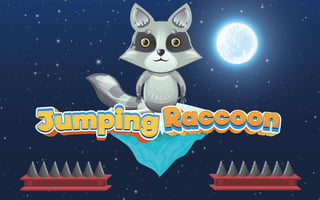
Is Jumping Raccoon free to play?
Yes, Jumping Raccoon is free to play directly in your web browser on Pixelsprout, with no download required.
Can I play Jumping Raccoon on a mobile device?
The game works in most mobile browsers, using touch controls for jumping and movement.
What are the basic controls for Jumping Raccoon?
Use the space bar or tap the screen to make the raccoon jump, and the left/right arrow keys or swipe left/right to move horizontally.
How difficult is Jumping Raccoon for new players?
The game starts with a gentle learning curve, but later levels add faster obstacles and tighter timing, increasing the challenge gradually.
What makes Jumping Raccoon fun to play?
Its simple yet responsive jumping mechanics, cute animal theme, and the satisfaction of mastering increasingly tricky platform sections keep players engaged.
What common mistakes do players make in Jumping Raccoon?
Players often mistime jumps near edges or hold the jump button too long, causing the raccoon to overshoot platforms.
Is there a way to adjust the difficulty or speed?
The game includes optional harder modes that increase obstacle speed, but the default setting is balanced for casual play.