Guide · Simulation
Last Play. Ragdoll Sandbox - Frequently Asked Questions
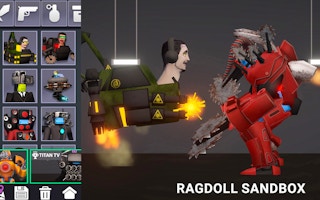
Is Last Play. Ragdoll Sandbox free to play?
Yes. Last Play. Ragdoll Sandbox plays free in your browser on Pixelsprout.
Can I play Last Play. Ragdoll Sandbox on a mobile device?
Not tested on touch screens.
What are the basic controls for moving and interacting with ragdolls?
Use the arrow keys or WASD to move the camera, click to select a ragdoll, and drag with the mouse to apply forces or reposition limbs.
Is there any difficulty level or learning curve?
The sandbox has no set difficulty; the challenge comes from experimenting with physics and creating your own scenarios.
What makes Last Play. Ragdoll Sandbox fun for players?
Its open-ended physics engine lets you create unpredictable ragdoll interactions, experiment with props, and share funny moments with friends.
Why do ragdolls sometimes get stuck or behave oddly?
Complex collisions or extreme forces can cause the physics engine to glitch, which is common in sandbox simulations and can usually be fixed by resetting the scene.
Can I save or share my creations?
The game includes a simple save feature that stores your current setup in the browser’s local storage, and you can export a link to share with others.