
Guide · Simulation
Last Play. Ragdoll Sandbox Tips and Strategy
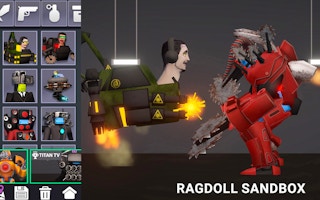
Last Play. Ragdoll Sandbox
Play nowAdvertisement
Last Play: Ragdoll Sandbox lets you experiment with realistic physics by manipulating ragdoll characters and objects in an open‑ended environment.
- Use the mouse to click‑and‑drag body parts to see how joints react under different forces, which helps you understand the ragdoll’s range of motion.
- Adjust the gravity or wind settings in the control panel to create varied scenarios, such as low‑gravity jumps or strong gusts that affect balance.
- Combine multiple objects (like crates, ramps, or balls) to set up chain reactions; positioning them strategically can produce entertaining domino effects.
- Utilize the reset button frequently after a test run—this lets you revert to a clean state without reloading the whole page, saving time when tweaking setups.
- Experiment with the impulse tools to apply sudden forces; applying a short, strong push to a specific limb can highlight how momentum transfers through the body.
- Take advantage of the pause feature to fine‑tune positions frame‑by‑frame, allowing precise placement of objects before resuming the simulation.
Keep experimenting with physics settings and object interactions to discover the most entertaining ragdoll scenarios.
Sponsored
More about Last Play. Ragdoll Sandbox
Play something similar
See all







Advertisement