Guide · Kids
Makeup Studio - Halloween - Frequently Asked Questions
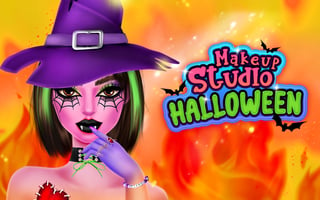
Is Makeup Studio - Halloween free to play?
Yes. Makeup Studio - Halloween is free to play in your web browser on Pixelsprout, with no download.
Can I play Makeup Studio - Halloween on a mobile device?
Not tested on touch screens.
What are the basic controls for applying makeup?
Use the mouse to select tools from the toolbar and click or drag on the face to apply colors and accessories.
Is the game suitable for young children in terms of difficulty?
The game is designed for kids, featuring simple drag‑and‑drop actions and clear visual cues that make it easy to complete each makeover.
What makes Makeup Studio - Halloween fun for kids?
Kids enjoy customizing characters with Halloween‑themed cosmetics, experimenting with colors, and seeing the finished look instantly.
Are there any common points of confusion for new players?
New players sometimes overlook the need to select a tool before clicking on the face, and may miss the ‘reset’ button that clears the current design.
Do I need to create an account to save my creations?
No account is required; designs are saved only for the current session and will reset when the page is reloaded.