
Guide · Kids
My Sweet Candy Outfits Beginner's Guide - How to Get Started
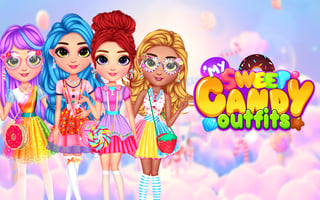
My Sweet Candy Outfits
Play nowAdvertisement
Dress up your character in fun, colorful candy-themed outfits and explore a sweet world of creativity.
What is My Sweet Candy Outfits?
This is a kids’ dress‑up game where you choose from a variety of clothing items, accessories, and hairstyles to customize a character. It focuses on simple drag‑and‑drop mechanics and bright visuals, encouraging imagination and style experimentation.
First steps
- Select the character you want to dress up from the main menu
- Click the wardrobe icon to open the clothing selection panel
- Choose a category like tops, bottoms, or accessories and click an item to apply it
- Use the color palette to change the hue of each piece if options are available
- Save your favorite outfit by clicking the save or star button
Who it's for
Perfect for young children who enjoy creative dress‑up play and bright, candy‑themed visuals.
Sponsored
More about My Sweet Candy Outfits
Play something similar
See all



Advertisement