
Guide · Kids
My Sweet Candy Outfits Tips and Strategy
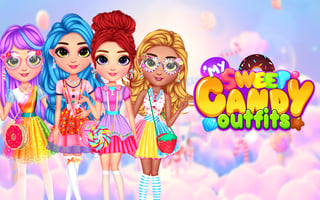
My Sweet Candy Outfits
Play nowAdvertisement
My Sweet Candy Outfits lets kids mix and match colorful clothing and accessories to create fun, sweet-themed characters.
- Use the preview window to see how each clothing piece fits before confirming your choice
- Start with a base outfit (like a dress or shirt) and then add layers such as hats, shoes, and accessories for a balanced look
- Drag items from the palette to the character and release them in the correct spot to ensure they snap into place
- Experiment with color palettes that complement each other—bright pinks pair well with pastel blues and yellows for a candy‑inspired vibe
- Take advantage of the undo button if an item doesn’t fit the style you want, allowing you to quickly try a different piece
- Complete daily challenges or themed outfits to unlock new clothing items and accessories
- Use the zoom feature to fine‑tune the placement of small accessories like bows or bracelets
- Save your favorite outfits in the gallery so you can revisit and edit them later
Have fun mixing colors and accessories to create the sweetest looks you can imagine!
Sponsored
More about My Sweet Candy Outfits
Play something similar
See all




Advertisement