
Guide · Monster
Ninja Adventure Controls (Desktop)
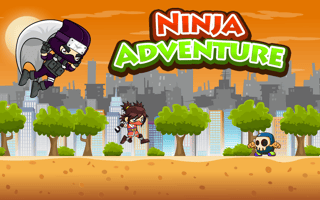
Ninja Adventure
Play nowAdvertisement
Ninja Adventure uses arrow keys plus two attack keys on desktop, and always draws on-screen touch buttons. Here is what worked in my browser session.
Desktop controls
ArrowRight and ArrowLeft move the ninja. ArrowUp jumps. X throws a kunai that I saw fly across the screen. Z swings the sword and plays the slash animation. ArrowDown, A, Space, F, S, and Ctrl had no visible effect in the limited testing I did.
Touch play
Not tested on touch screens.
Tips
- Hold Right and tap Up in a short burst to clear gaps and climb crate walls more reliably than a single jump.
- X is the throw and Z is the slash. Both showed clear animations when I pressed them.
- Coins collect on contact, so you do not need a separate pickup key.
- The green speaker and pause icons sit in the top-right corner of the HUD.
Sponsored
More about Ninja Adventure
Play something similar
See all

Advertisement