
Guide · Drawing
Pixeler - Frequently Asked Questions
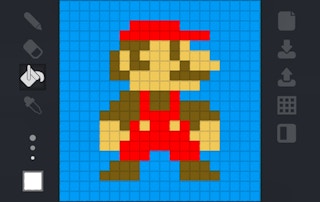
Pixeler
Play nowAdvertisement
Is Pixeler free to play or does it require a purchase?
Pixeler is free to play in your web browser on Pixelsprout, with no download.
Can I play Pixeler on a mobile device?
Not tested on touch screens.
What are the basic controls for drawing in Pixeler?
Use the left mouse button to draw, select colors from the palette, and adjust brush size with the scroll wheel or on‑screen slider.
How difficult is Pixeler for beginners?
The game is beginner‑friendly, offering simple tools and a tutorial mode that guides you through basic shapes and color blending.
What makes Pixeler fun compared to other drawing games?
Pixeler’s fun comes from its quick‑draw challenges, community galleries, and the ability to share creations instantly with friends.
Why do some drawings appear pixelated or blurry?
Pixelation occurs when the canvas resolution is set low; increase the canvas size or zoom in for finer detail.
Is there a limit to how many colors I can use in a single drawing?
There is no hard limit on colors; you can switch between as many shades as you like using the palette or custom color picker.
Sponsored
More about Pixeler
Play something similar
See all


Advertisement