
Guide · Shooter
Terrifying Zombies Tower Defense II - Frequently Asked Questions
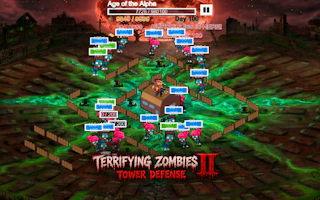
Terrifying Zombies Tower Defense II
Play nowAdvertisement
Is Terrifying Zombies Tower Defense II free to play?
Yes, it is free to play directly in your web browser on Pixelsprout, with no download required.
Can I play Terrifying Zombies Tower Defense II on a mobile device?
Not tested on touch screens.
What are the basic controls for shooting and building in the game?
Use the mouse to aim and click to fire, and select tower icons with the mouse or number keys to place them on the map.
How hard is the difficulty curve for new players?
The early levels introduce enemies gradually, but later waves increase speed and numbers, so expect a steady rise in challenge.
What makes Terrifying Zombies Tower Defense II fun to play?
Combining fast-paced shooting with strategic tower placement creates a dynamic mix of reflexes and planning.
Why do some players get confused about tower upgrade timing?
Upgrades apply to the next wave, so upgrading during an active wave won’t affect the enemies already on screen.
Is there a way to pause the game if I need a break?
Yes, you can pause the action using the on‑screen pause button or the 'P' key on your keyboard.
Sponsored
More about Terrifying Zombies Tower Defense II
Play something similar
See all





Advertisement