Guide · Puzzle
Baba Is You Controls - Keyboard on Desktop
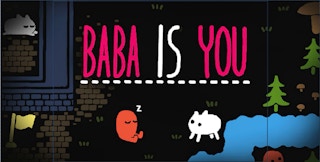
Baba Is You on Pixelsprout is a fan-made Scratch remake of the rule-changing puzzle idea, not the original game.
Baba Is You uses the keyboard for movement and a couple of on-screen buttons for fixing mistakes. Here is what worked when I played it in a desktop browser.
Desktop controls
Click once on the game so it has focus, then use the arrow keys to move one square at a time. Moving into a rock pushes it if there is space behind it. The Right arrow moved the character and pushed rocks, and Left worked as a movement key too. WASD did not visibly do anything for me.
Mobile controls
I did not see any on-screen touch controls while playing, and I did not test the game on a phone or tablet. If you try it on a touch screen, expect that the game may be built around a keyboard, so a desktop browser is the safer choice.
Tips
- If the arrow keys seem dead, click inside the game area first, because the page needs to focus the game before it reads key presses.
- Look for the RESTART and UNDO buttons on the screen. They were visible during my play, though I did not press them.
- Mouse clicks only focused the game or started it for me. Pushing and moving is done with the keys, not the mouse.
- An Ok, Play Now button appears before the game loads, so click it and wait for the loading bar to finish.