
Guide · Kids
Cute Little Dragon Creator Beginner's Guide - How to Get Started
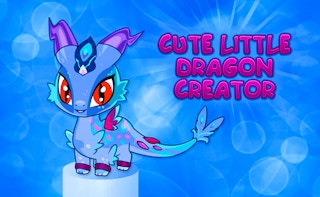
Cute Little Dragon Creator
Play nowAdvertisement
Create your own adorable dragon and explore a whimsical world in Cute Little Dragon Creator.
What is Cute Little Dragon Creator?
This kids‑focused game lets players design and customize a cute dragon, then guide it through simple puzzles and activities. It combines easy drag‑and‑drop customization with light adventure elements suitable for young children.
First steps
- Choose a dragon base and select colors, patterns, and accessories using the on‑screen menus
- Click the start button to enter the dragon’s playground
- Use the arrow keys or on‑screen controls to move your dragon around and interact with objects
- Complete the first tutorial task, such as collecting a sparkle or reaching a friendly character
- Save your dragon’s appearance and name before exploring more areas
Who it's for
Perfect for kids who enjoy creative play and gentle, easy‑to‑learn adventure games.
Sponsored
More about Cute Little Dragon Creator
Play something similar
See all




Advertisement