
Guide · Kids
Cute Little Dragon Creator Tips and Strategy
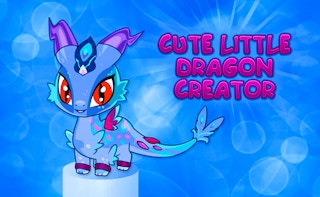
Cute Little Dragon Creator
Play nowAdvertisement
Cute Little Dragon Creator lets kids design and play with their own adorable dragon in a colorful, easy‑to‑navigate world.
- Use the color palette to change each part of the dragon—body, wings, and eyes—so the dragon stands out and feels personal.
- Start with the basic body shape and then add accessories like horns or tails; each addition unlocks new animation options.
- Collect the simple resource icons that appear while exploring; they are needed to unlock additional customization parts.
- Try the drag‑and‑drop controls for placing items on the dragon—practice moving them slightly to see how the dragon’s movement changes.
- Complete the short tutorial challenges (like making the dragon hop over a small gap) to earn bonus items for later use.
- Save your favorite designs in the gallery and revisit them; you can mix and match parts from different saved dragons for fresh creations.
Experiment and have fun—each tweak makes your dragon more unique and enjoyable to play with.
Sponsored
More about Cute Little Dragon Creator
Play something similar
See all





Advertisement