
Guide · Kids
Cute Little Dragon Creator - Frequently Asked Questions
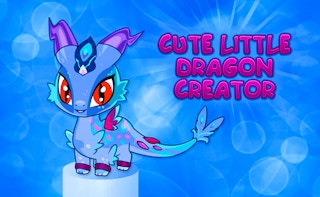
Cute Little Dragon Creator
Play nowAdvertisement
Is Cute Little Dragon Creator free to play?
Yes. Cute Little Dragon Creator plays free in your browser on Pixelsprout.
Can I play Cute Little Dragon Creator on a mobile device?
Not tested on touch screens.
What are the basic controls for building and customizing dragons?
Use the mouse to select parts from the menu, click to place them on the dragon silhouette, and drag to rotate or resize each element.
Is the game difficult for younger kids?
The game is designed for a low difficulty level, with simple drag‑and‑drop mechanics and no time limits, making it suitable for children.
What makes Cute Little Dragon Creator fun for kids?
Kids enjoy mixing colors, shapes, and accessories to create unique dragons, and the instant visual feedback keeps them engaged.
Why do some parts disappear when I try to add them?
If a part is placed outside the visible canvas or overlaps another element incorrectly, the game will hide it until it’s repositioned within the allowed area.
Sponsored
More about Cute Little Dragon Creator
Play something similar
See all






Advertisement