Guide · Kids
Toilet Rush Draw To Pee Tips and Strategy
These tips come from playing Toilet Rush: Draw to Pee in a desktop browser on Pixelsprout. I cleared Level 1 by drawing a path and then spent more time on Level 2, where drawing stopped responding. Everything below is what appeared on screen.
- Click Ok, Play Now! and wait through the loading overlay until it finishes, then tap the large triangular play button on the menu that shows Toilet Rush: Draw to Pee and Level 0/85.
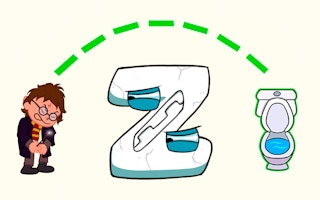
- On Level 1, drag with the mouse from the character to the blue toilet. A direct path along the green dotted guide gave me Victory with a +10 coin reward.
- Watch the coin counter after a win. Mine moved from 0 to 10 when the +10 coin reward appeared with the progress bar.
- Use Next after Victory to continue, or Retry if you want the same level again. Both buttons showed on the Level 1 clear screen.
- If a later level stops drawing a visible path, do not keep grinding the same drag. On Level 2 my repeated mouse routes produced no path, movement, fail, or victory.
- Use the gear or back icon when you need the menu again. That control returned me to the title screen with the level progress label.
- A side ad may sit to the right of the game. In my session it stayed outside the playfield and did not block drawing on Level 1.
Level 1 plays as a short draw-a-path puzzle to the toilet. Treat later levels carefully if drawing stops registering, and fall back to the menu rather than assuming every stage works the same way.
What worked on Level 1
Level 1 showed one character, one blue toilet, and a vertical green dotted path. Dragging a direct mouse line from the character to the toilet produced Victory, a +10 coin reward, a progress bar, and Retry and Next buttons.
That clear was enough to confirm the core loop: draw the route, reach the bathroom, collect the coin reward, then choose Retry or Next. No timer appeared on the levels I tested.
Where Level 2 got stuck
Level 2 showed a yellow Level 2 badge, two cartoon children above two light-blue stalls with red female and blue male symbols, plus bottom icons for a circular arrow, a lightbulb, and a double-arrow.
Repeated mouse drag attempts made no visible path and triggered no movement, fail, or victory. If you hit the same freeze, leave via the gear or back control and try again later rather than assuming you are drawing wrong.
Gameplay screenshots


See it in action
Watch Toilet Rush: Draw to Pee being played, then try it yourself in your browser.