Guide · 2048
2048 Cube Run Beginner's Guide - How to Get Started
New to 2048 Cube Run? Here is what each screen shows and how a first run on Level 1 goes from the start button to the Level Cleared screen.
What is 2048 Cube Run?
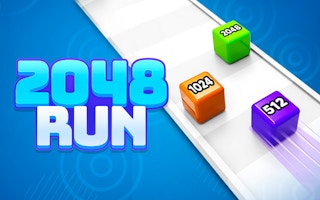
2048 Cube Run is a free browser runner with a numbers theme. You control a blue cube marked 2 on a long white track over a light blue sky. Colored cubes with numbers such as 2, 4, 8, 16, 64 and 128 sit on the track, and the ones you run into stack up on your cube. At the end, a checkered finish line leads onto strips marked X2, X4 and more, and the level ends on a Level Cleared screen.
First steps
- Click Ok, Play Now! on the notice and let the game load to the Level 1 screen.
- Look at the coin total in the top right and the Cube Value card below the starting cube.
- Click CLICK TO START! to set the cube moving.
- Hold the mouse button and make small drags left and right to line up with cubes ahead.
- Keep an eye on the progress bar at the top as you near the finish line.
- Look over the Level Cleared screen. NEXT LEVEL sits on the same screen as WATCH ADS & GET (we didn't press it).
Who it's for
Players who want a short, low-effort runner with one simple input. Each run on Level 1 lasted well under a minute.
Reading the screen during a run
The bar at the top of the screen fills from left to right as you move down the track, with a small marker at each end. The coin count stays in the top right corner.
Your stack shows its numbers on the front of each cube, so you can see at a glance which values you have picked up. Cubes waiting on the track show their numbers too.
Gameplay screenshots