Guide · Sports
Skateboard Challenge Beginner's Guide - How to Get Started
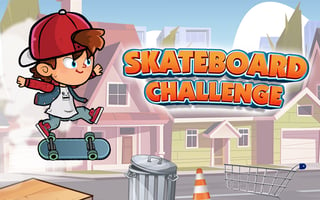
New to Skateboard Challenge? This guide walks through the menus and your first run on Level 1, based on a session where I learned the hard way how fast the first obstacle arrives.
What is Skateboard Challenge?
Skateboard Challenge is a free 2D skating game that runs in your browser with no download. You ride as Jeff, a skater in a red cap, who rolls right down a street of houses and parked cars. You jump over obstacles like traffic cones, collect coins and the letters of SKATE, and pull tricks for points. Level 1 shows a target of 100000 points. The level select has eight levels, with only Level 1 open at the start and the rest locked.
First steps
- Press OK, PLAY NOW! on the first screen if it appears, then wait for the title screen.
- Open CONTROLS to read the trick list, then press START.
- Pick Level 1 on the LEVEL SELECT screen. Levels 2 through 8 show padlocks.
- When Jeff starts rolling, press Space to ollie and grab the S floating ahead.
- Jump again before the orange cone. If you hit it, use the restart arrow on the TRY AGAIN screen.
Who it's for
It suits players who enjoy short timing challenges and do not mind retrying the same opening many times. One hit ends a run, so it is not a relaxed game.
Skaters and coins
The SELECT SKATER screen starts you with Jeff. Emily costs 5000 coins and Mike costs 8000, each with a BUY button. My balance was 0 after my runs, since I never cleared the first cone.
The same screen offers FREE 200, which says you can get 200 free coins by watching a video. I did not use it, so I cannot say how long the video is.
Gameplay screenshots