Guide · Sports
Skateboard Challenge Tips and Strategy
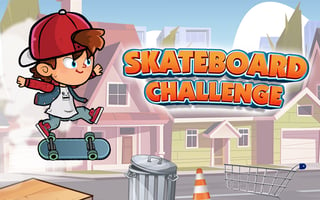
These tips come from a real session of Skateboard Challenge on Pixelsprout, playing Level 1 with the starting skater, Jeff. The first traffic cone beat me on every run, so this page focuses on that opening stretch, the menus, and what the game itself tells you about tricks.
- Get ready before the run starts. After a restart, Jeff stands holding his board for about a second, then rolls to the right on his own, and the first orange cone shows up only two or three seconds later.
- Press Space to ollie as soon as he starts rolling. My first jump collected a letter S, lit the S in SKATE at the top of the screen, and scored +50 with OLLIE shown at the bottom.
- Save a second Space press for the cone. Touching it ended my run instantly, and I saw no lives or second chances.
- Read the CONTROLS screen from the title menu before your first run. It lists every trick key, and the tip at the top says ollies let you reach higher places or stay in the air longer.
- Jump for the coins hanging in rows above the street. They feed the coin counter in the top bar, which is the currency for new skaters.
- Use the circular arrow on the TRY AGAIN screen to restart quickly. It reloads Level 1 after a short black screen, so failed attempts cost very little time.
Skateboard Challenge is all about timing. Learn the rhythm of the first jump and the first cone, and the rest of Level 1 opens up from there.
Reading the top bar during a run
During Level 1 the top bar shows LEVEL 1, a coin counter, TARGET: 100000, a seven digit score, the letters SKATE and the word COMBO. The SKATE letters stay grey until you collect them in the level. I picked up the S with my first ollie.
The TRY AGAIN screen repeats this information with SCORE, BEST SCORE and badges for SCORE, SKATE and COMBO, so you can see which goals a run touched before you restart.
Tricks listed in the game
The controls screen lists Space to ollie, Z to kickflip, C to heelflip and holding X for an indy grab. It also lists grinds: land on a rail for a 50-50, or hold Left, Right or Down while landing for a 5-0, a nosegrind or a noseslide. I only confirmed the ollie myself, because I never made it past the first cone to reach a rail.
Gameplay screenshots