
Guide · Simulation
The Windows Game Beginner's Guide - How to Get Started
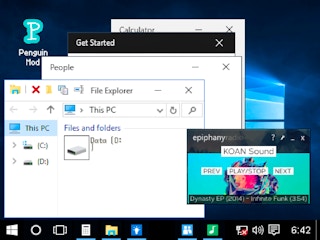
The Windows Game
Play nowAdvertisement
Step into a quirky simulation where you explore a virtual desktop environment and interact with familiar Windows-like elements.
What is The Windows Game?
This type of simulation lets you navigate a stylized operating system, clicking icons, opening windows, and experimenting with basic computer functions. It focuses on playful discovery rather than realistic productivity, offering lighthearted tasks and hidden easter eggs.
First steps
- Click the start menu or equivalent icon to open the main navigation panel.
- Open a few folders or programs to see how windows can be moved, resized, and closed.
- Try dragging icons around the desktop to rearrange them.
- Explore any tutorial pop‑ups or hints that appear when you hover over elements.
- Look for hidden interactive objects or mini‑puzzles that reward curiosity.
Who it's for
Anyone who enjoys casual, tongue‑in‑cheek computer simulations and nostalgic desktop humor.
Sponsored
More about The Windows Game
Play something similar
See all







Advertisement