
Guide · Simulation
The Windows Game - Frequently Asked Questions
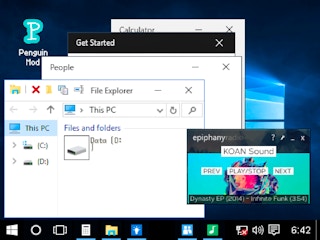
Is The Windows Game free to play?
Yes. The Windows Game plays free in your browser on Pixelsprout.
Can I play The Windows Game on a mobile device?
Not tested on touch screens.
What are the basic controls for managing the simulation?
Not tested on touch screens.
How difficult is the learning curve for new players?
The game starts with a tutorial that introduces core mechanics, and difficulty ramps up gradually as you unlock more complex systems and larger scenarios.
What makes The Windows Game fun compared to other simulation titles?
Its sandbox approach lets you experiment with cause‑and‑effect in a familiar desktop environment, offering endless creative possibilities and emergent scenarios.
Why do some actions feel unresponsive at first?
The simulation runs in real‑time and may lag briefly when many objects are active; pausing or lowering the simulation speed can improve responsiveness.
Are there any hidden features or shortcuts that players often miss?
Many players overlook the ability to right‑click for quick property panels and the hotkey to reset the current scenario, which speeds up testing and experimentation.







