Guide · Math
2048 Beginner's Guide - How to Get Started
New to 2048 on Pixelsprout? This guide covers what the game is, how a run starts, and what to do first based on a full play session that ended at Game Over.
What is 2048?
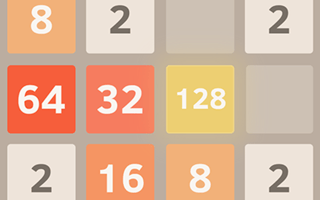
2048 is a free browser puzzle on a cream-colored 4x4 grid of muted beige empty cells and colored numbered tiles. The on-screen goal is Join the numbers and get to the 2048 tile. You slide the whole board with the arrow keys so matching numbers merge into higher values. Score and Best counters sit near the large dark 2048 title, and a New Game control lets you restart. A side ad was visible to the right but did not cover the board while I played.
First steps
- Open the game and click OK, PLAY NOW! if that prompt appears.
- Click the board so keyboard focus is on the grid, then use the arrow keys to slide tiles.
- Merge matching numbers to grow higher tiles. Watch Score rise and keep an eye on Best.
- When the board fills with no legal move, the Game Over overlay appears with Try again.
- Click Try again to reset Score to 0 and start another run; Best keeps your high score.
Who it's for
It suits players who like calm number puzzles with short thinking pauses between moves. If you want twitch action or a win every time, note that I reached 512 and lost before ever seeing the 2048 tile.
What a first run looks like from start to Game Over
A run begins with two tiles on the empty 4x4 board. Each arrow slide moves everything that direction, merges equals that hit, and adds a new tile. Score climbs as merges happen. In my session I built tiles up through mid values to 512 and finished with Score and Best at 5,032.
When every cell is filled and no two matching tiles can slide together, the overlay shows Game Over and Try again. Clicking Try again cleared Score to 0 while Best stayed at 5,032. I never reached the 2048 tile, so I did not see a win screen.
Gameplay screenshots