
Guide · Math
2048 Controls (Desktop)
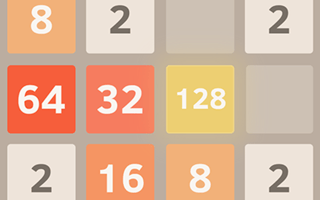
2048
Play nowAdvertisement
Controls in this browser build are simple: four arrow keys slide the whole board. Here is exactly what worked when I played on desktop.
Desktop controls
Click the game board once so it has focus, then use Arrow Left, Arrow Right, Arrow Up, and Arrow Down. Each press slides every tile in that direction. Matching numbers that collide merge into one higher tile. I did not find working mouse-drag moves for sliding; the arrows were the controls that moved the tiles.
Touch play
Not tested on touch screens.
Tips
- Click OK, PLAY NOW! first if the GamePix overlay appears, then click New Game or the board before using the arrows.
- If arrows do nothing, click inside the 4x4 grid to focus the game, then try again.
- One arrow press equals one full-board slide. There is no Undo, so pause before a move when the board is nearly full.
- After Game Over, click Try again to start a fresh run without leaving the page.
Sponsored
More about 2048
Play something similar
See all






Advertisement